

A small business rarely needs thousands of identical brochures, menus, postcards, or inserts. Most owners need enough for the next promotion, opening, or seasonal offer. Excess stock locks cash into outdated material, while shortages may cause rush fees.
That is where short run digital printing earns its value. It helps companies produce professional materials in practical quantities and revise them as needs change. It suits limited storage, multiple locations, changing prices, and test campaigns.
What Short Print Runs Actually Mean?
Short run digital printing uses a digital file to produce a limited quantity without the plate setup required for traditional offset production. There is no fixed number. A batch of 100 postcards may be small for one company, while 1,000 menus may be short for another.
The right quantity depends on accuracy and distribution speed. This differs from on demand printing, where an item is often produced only after a customer places an order. Short run printing is usually planned for a defined campaign or operating period.
Smaller Quantities Reduce Waste and Protect Cash
The lowest price per piece is not always the lowest business cost. A large order may look economical until a phone number, price, product line, or offer changes.
Short run printing keeps inventory closer to actual demand. Instead of buying a year of materials, a business can order enough for the next month, quarter, event, or campaign.
This approach works well when:
- Offers change throughout the year
- Prices are reviewed regularly
- Services vary by location
- A new product is being tested
- Storage space is limited
Before ordering, estimate how many pieces can be used before the information becomes outdated. That often saves more than chasing the lowest unit price.
Faster Revisions Keep Campaigns Accurate
Lower inventory risk leads to another advantage: easier updates. With short run digital printing, the next batch can be revised before production instead of using old material simply because it remains in storage.
This flexibility matters for menus, price lists, flyers, appointment cards, product sheets, and seasonal marketing materials. It also helps companies with several branches because one master design can be adjusted for different addresses, phone numbers, offers, or service areas.
Custom digital printing works best when those changes are controlled. Keep one approved master file, label every version clearly, and record which location receives it. That prevents old artwork from returning to production.
Small Batches Make Testing Safer
Easier revisions also make testing safer. Short run digital printing lets owners test a headline, offer, format, or call to action before committing to a large inventory bet.
For a cleaner test, change one element at a time:
- Compare two headlines while keeping the design unchanged.
- Use separate QR codes or landing pages.
- Test a discount against a value-based message.
- Compare a postcard with a folded brochure.
- Measure inquiries, redemptions, appointments, or sales.
The goal is to learn which message produces a better response. Good digital printing services can keep paper, size, finishing, and color consistent so the test measures the message rather than a production difference.
Personalization Should Add Real Value
Once a basic message performs well, personalization can make it more relevant. Digital production can change text, images, offers, or contact details from one piece to the next, but the data and purpose must be clear.
Custom digital printing may support location-specific postcards, customer-name mailers, sales-representative cards, unique event codes, and loyalty offers.
Clean the spreadsheet before sending it to the print shop. Remove duplicates, correct errors, standardize addresses, and review several sample records. The proof should confirm that long names, blank fields, and special characters display correctly.
Print Quality Still Depends on Preparation
Personalization is useful only when the base file is production-ready. Well-prepared digital prints can deliver sharp text, clear images, and consistent branding, even in small quantities. Problems usually begin before production: low-resolution images, missing bleed, incorrect page size, weak contrast, or poor export settings.
Ask digital printing services to confirm:
- Final trim size, bleed, and safe margins
- Image resolution
- Paper weight and finish
- Folding, binding, or mounting
- Proofing method and delivery date
Consider a physical proof when color, folds, dark backgrounds, or premium presentation matter. A PDF proof may be enough for a straightforward reorder.
Match Each Product to Its Real Use
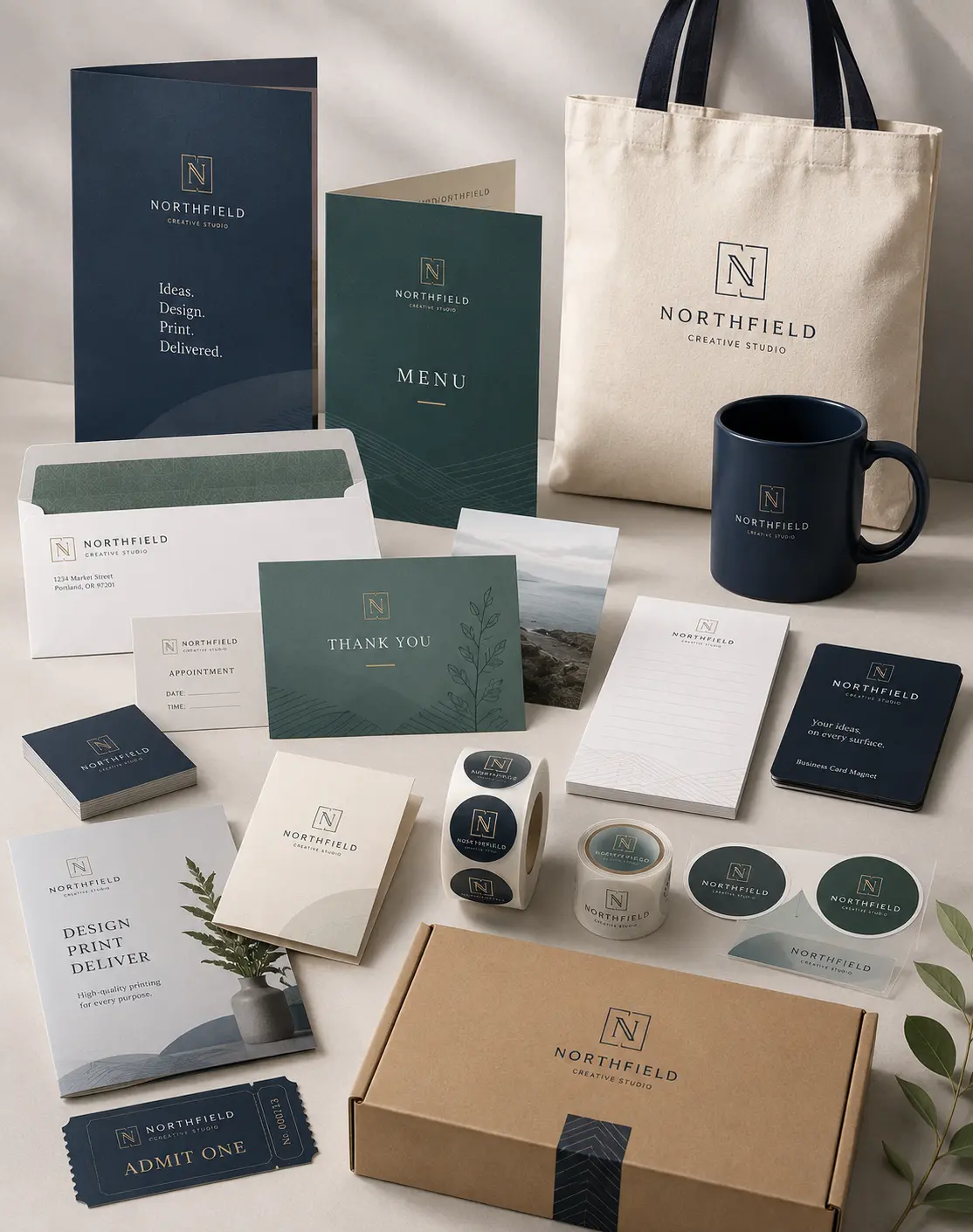
Once the artwork is ready, each piece must be matched to its actual use. A grand opening could require postcards, counter cards, window graphics, handouts, and directional signs. Strong business printing services can keep the visual system consistent across all of them.
Choose each item according to use. A menu must tolerate handling, while a mailing piece must meet postal requirements. Signage printing requires decisions about distance, placement, mounting, and lifespan.
For signage printing, explain where the piece will be used. A poster behind glass, a temporary yard sign, and an outdoor panel exposed to weather require different materials. This helps the provider recommend suitable print products instead of quoting the cheapest option.
Digital, On-Demand, or Offset?
After choosing the right pieces, the next decision is how to produce them. The best method depends on quantity, timing, personalization, finishing, and how often the artwork may change.
| Situation | Better Starting Point |
| Testing a new offer | Short digital batch |
| Frequent price or text changes | Digital production |
| One item produced after each order | On demand printing |
| Large quantity with no revisions | Compare offset pricing |
| Multiple localized versions | Variable data production |
Commercial printing decisions should be based on total useful cost. Offset may suit large, unchanged quantities; digital production may be better when speed, versioning, or lower inventory risk matters more.
A reliable commercial printing provider should explain both options when the order is near the crossover point. Ask for comparable quotes using the same paper, finishing, size, and delivery requirements.
Prepare a Complete Quote Request

Once the production method is clear, a complete quote request prevents delays and makes prices easier to compare. Before contacting a print shop, prepare:
- Finished size and quantity
- Paper preference or intended use
- Color and finishing requirements
- Delivery ZIP code and deadline
- Artwork status
Send a print-ready PDF when possible. Keep important text inside the safe area, extend backgrounds through the bleed, and confirm that images suit the final size.
Good print services should review the specifications before production. If two suppliers quote very different totals, check whether both include proofing, finishing, packaging, shipping, and delivery.
Build a Reorder System Instead of Starting Over
A complete first order should also make reordering easier. Short run digital printing works best when the approved file, quote, paper specification, finishing details, and a physical sample are saved.
Review stock before it becomes urgent. A monthly check shows whether the next order should be larger, smaller, or revised and creates time for updates.
Reliable business printing services should reproduce an approved job while confirming requested changes. The goal is not merely to buy print products, but to build a dependable process with fewer errors and less wasted time.
Frequently Asked Questions
Is Short Run Digital Printing Affordable for Small Businesses?
It can be cost-effective when the business needs a limited quantity, expects revisions, or wants to avoid excess inventory. Compare the total cost with the quantity that can realistically be used.
Which Materials Are Best for Short Orders?
Cards, flyers, brochures, postcards, menus, booklets, labels, inserts, posters, and other marketing materials work well in smaller batches. The best choice depends on size, paper, finish, quantity, and use.
How Quickly Can a Small Print Order Be Produced?
Turnaround depends on artwork readiness, paper availability, quantity, finishing, proof approval, and delivery. Confirm the schedule before approving the job.
Are Digital Prints Suitable for Professional Campaigns?
Yes, when the files, paper, color, proofing, and finishing match the intended use. Request samples when appearance or durability is especially important.
What Information Should a Quote Request Include?
Include the size, quantity, intended use, color requirements, finishing, deadline, delivery ZIP code, and artwork status. Complete details help print services recommend the right method and quote accurately.
Order What the Campaign Can Actually Use
Short run digital printing gives small businesses a better way to control inventory, revise information, test campaigns, and coordinate several pieces without committing to unnecessary volume. Its strongest advantage is matching production to a real deadline, audience, and measurable goal.
For the next campaign, list the pieces required, estimate the quantity that can be distributed before the information changes, and gather the final specifications. Then request a detailed quote covering file review, proofing, production, finishing, packaging, and delivery.
Choose a provider that asks the right questions before printing. Submit the size, quantity, intended use, deadline, delivery ZIP code, and artwork status to receive a clear recommendation and custom quote.