

In promotional posters, you want to ensure the offer can be easily seen by customers. If the offer in the example below cannot be easily seen from outside, then it can be hard to get across.
This is often due to clutter. Too many contact details, product information, and call-to-action elements can cause the offer to become small. Good design will ensure the offer can be easily read from the desired distance.
The Readability Problem With Promotional Posters
If the logo is too large, or if you can only see the price when you lean up against the glass, then your design may have been over-optimised. There should be clear visibility of what the offer is.
However, other information such as dates, terms and next steps must be clearly visible to people approaching. Within your brief to the poster design service, include what distance the poster will be viewed from.
Provide a picture of what the window looks like, and how big it is. The poster print service will also need to know the final size of the poster. If part of the poster is behind a frame, this should be included in the dimensions.
Font Sizes For The Actual Viewing Distance
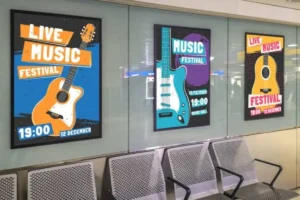
Trial Text Sizes
When designing a large format poster, measure the distance between the poster and where people can view it clearly. If it is at the till, people may have more time to read it. However, if it is placed at a doorway, people may not stop at all.
Below are some test sizes for fonts within your poster. These are suitable for a portrait 24in x 36in poster for the example given. After a physical test, you can adjust these.
| Element | Trial Size | Information To Include |
| Headline | 120 pt | The main offer |
| Supporting line | 60 pt | Eligible products or the key benefit |
| Action and dates | 42 pt | Where to shop and when the offer ends |
| Conditions | 28 pt | Essential details read at close range |
The legibility of text on large format posters can be affected by font, light, reflection from windows, and eyesight.
Headlines may need to be significantly larger on posters placed on wide footpaths than on posters next to entrances. Before ordering large format posters, be sure to read the text from the viewpoint it will be shown from.
Letter Shape And Weight
Although point size can be useful, the height and width of letters can vary depending on the font. In addition, thick letters can reduce the legibility of small text. Start with a simple and open font (Arial/Helvetica). Make the main offer bold, and supporting information standard. Avoid stretching or squashing text to allow a line to fit.
Shorter Copy Gives The Offer More Space
The Sale Headline
To aid clarity, place the headline at the top of your poster. Below this, include the dates and ‘Shop Inside.’ Be sure to make the logo clear, without it taking away from the offer. Give enough space between these elements to clearly communicate the prioritisation of information.
Dates And Restrictions
Be careful to keep key conditions in place, whilst shortening text. Include the restriction ‘Select Styles’ next to any discounted products. Include an expiry date close to the call to action so it can be easily found by interested customers.
If a business poster will be displayed in multiple locations, double check that the offer is applicable in all stores. If there are differences in dates or eligibility, create separate designs.
Before ordering promotional posters, make sure these details have been decided on. It is very unlikely that shortening text will be a good alternative to amending the message itself.
Contrast Keeps Smaller Details Readable
If displaying a picture of shoes, features such as shoelaces, stitching, and shading may create a difficult background pattern. To improve legibility of smaller text, place it within a solid block with clear contrast between text and background.
Using high contrast in advertising posters will give greater clarity. Dark navy text on a white background is an effective choice. Light grey text on a busy background may struggle, so be more cautious. Adding a decorative stroke to text is rarely a solution to this.
Glare from windows can cause issues. Posters may be clear in the morning, but may become partially unclear due to glare. Consider matte and gloss finishes in the desired lighting conditions for your bespoke posters. Even with a matte finish on the paper, a glass surface may reflect light.
A Full-Size Poster Check Before Approval
The Sidewalk Test
Even with shortened text in a design, issues may exist within a layout. To check, ensure the headline and conditions text are printed at full scale, using stacked sheets of paper within the office. Disable Fit To Page settings to ensure scaling isn’t altered. Attach samples to be viewed at full height. View the typography:
- Make sure you can easily read the main offer.
- Walk up to the display and find the dates and call to action.
- Check conditions from where customers can stop.
- If the entrance to the shop is alongside the window, check from an angled position.
Before finalising the order, ensure that promotional posters have passed this test. Although you could take a photo of the poster on your phone to see how reflections look, it is more important that you view a physical example than zoom in on a digital version.
Design Revisions
When considering services for your poster design, check whether amendments can be made after a physical check. Ensure that an editable file is provided. You may only require a small amendment to spacing/contrast/wording to fix the issue.
Print Specifications For Promotional Posters
In addition to designing a large format poster, provide some printing specifications. Include size, number of prints, location to be displayed, method of fixing, and deadline. If bespoke advertising posters will be displayed, specify whether they will be indoors, behind glass, or outdoors.
Before ordering bespoke posters, check what file format template and export specifications you require from the supplier. Be sure that bleeds and margin areas are correct. If the poster will be framed, check margins from the final file.
Frequently Asked Questions

What Text Size Works From Ten Feet Away?
There is no standard minimum text size. Ensure your headline text is readable at the desired distance (10ft) with your chosen font and size. For best results with large format posters, ensure you test with your chosen print size.
Is 24-Point Text Large Enough?
Depending on the location where people will be reading your poster, 24 pt text may be too small. The Text should be selected based on the distance. To ensure people can understand the promotion on the poster, add extra detail within the Text, at an increased size.
How Much Copy Belongs On A Sales Poster?
Include details on the promotion, dates, appropriate conditions, and the key action. Usually you won’t need to include company details or a detailed description of the product in your promotional poster. Optional information should be moved to another page, which can be accessed by clearly labelling a QR code.
Should Every Line Use Capital Letters?
Headlines in uppercase can work well within short texts. If the conditions are long, Text in a mixture of cases is often easier to read. However, check the final Text and layout, and what background it is on to ensure it’s readable. Simply using uppercase text may not make the Text readable.
Can the printer adjust busy images?
Depending on the printer, some allow amendments to the design. Some printers print the file as approved. Ask your poster printers for further information. Ensure that the Text and layout are correct before approving the proof, so that changes can be made easily.
Bottom Lines
Ensure that the Text in your poster is easy to read, with clear promotions. Consider reducing Text within your poster, measure the approach, and ensure that key Text is readable in the final size. Carry out these steps before printing.
To request a quote for large format printing, please provide us with the size, quantity, placement, and deadline. Once the digital proof has been approved (ensuring that the message is clear at the intended viewing distance), you can place your order.