

Watercolor art can look sharp on a monitor and still produce a disappointing print. A pale petal may blend into the paper, or a transparent shadow may become too heavy. The file needs to be judged against the painting and on the paper chosen for the finished image.
Set the intended print size before capture, preserve an untouched master, and approve a physical proof. These steps give art print reproduction a sound basis, with a clear reference for deciding when the result is ready.
Plan Watercolor Art Prints Around The Finished Size
Image Proportions And Borders
Consider an 8 × 10-inch painting intended for a 16 × 20-inch print. The proportions match, so no cropping is necessary. An 11 × 14-inch image has a different shape and requires either a crop or additional space.
Settle that choice before ordering watercolor art printing. A small crop can remove a signature, shorten a stem, or leave a border looking uneven.
The image size and sheet size also need separate measurements. A 16 × 20-inch image centered on a 20 × 24-inch sheet has a two-inch border on each side. Allow for any area that a mat will cover.
Give art reproduction companies the same specifications when requesting quotes. Before purchasing fine art printing services, confirm whether capture, corrections, and proofs are included.
Resolution For Enlargement
Adobe gives this benchmark for fine art printing. At 300 PPI, a 16 × 20-inch image requires 4,800 × 6,000 pixels. An 8 × 10-inch original captured at a genuine 600 PPI supplies that number before cropping. For watercolor printing, check actual sharpness too. More pixels cannot repair a blurred capture.
Capture The Lightest Paint Before Making Corrections
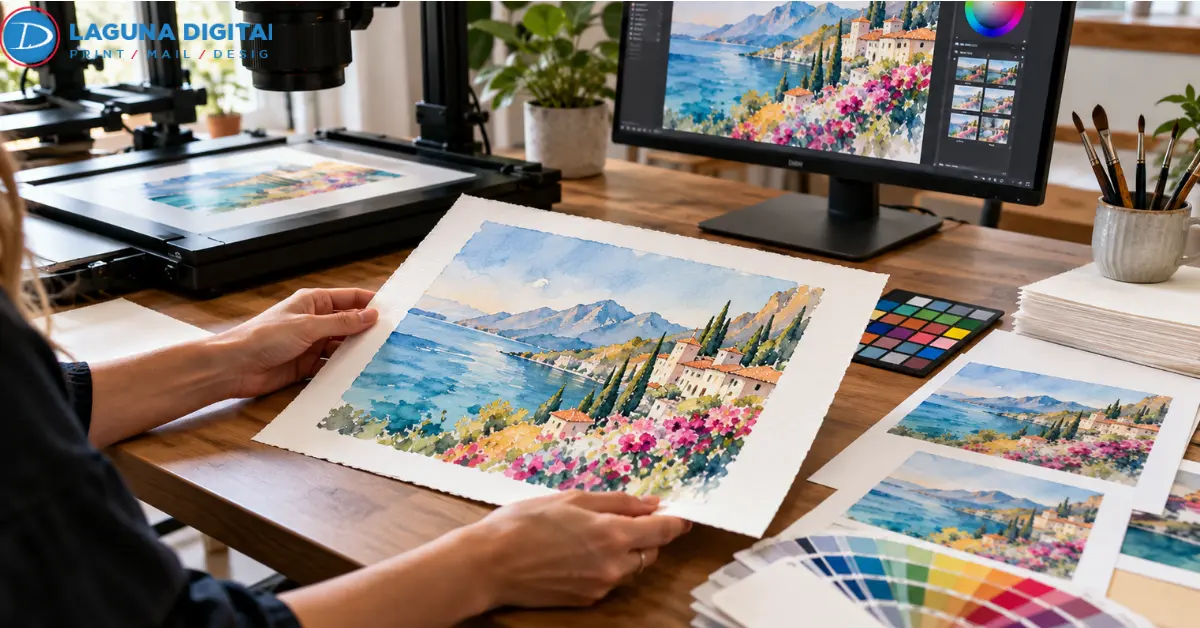
Begin artwork scanning with automatic contrast, sharpening, and background removal disabled. Test a section containing both bare paper and the palest wash. If the wash disappears, revisit the capture settings. Later editing cannot faithfully reconstruct paint that was never recorded.
The original should be fully dry. Clean the scanner glass, handle the sheet by its edges, and avoid pressing a buckled painting flat beneath the lid. Include a small unpainted margin, when available, as a reference for the paper tone.
Large And Delicate Originals
For oversized or fragile sheets, discuss large-format fine art scanning before choosing the capture method. Ask how the sheet will be supported and whether equipment will touch its surface.
Photography is another option. Keep the camera sensor parallel to the painting and light the entire sheet evenly. Use a consistent light source or matched lights, avoiding a mixture of daylight and warm room lighting that can introduce color differences across the image.
If sectional scans are necessary, keep exposure and orientation consistent. Check every join for doubled lines and changes in brightness. The texture in watercolor art should continue across the seam without interruption.
An artwork scanning service should supply the captured file with its color profile. When a separate giclée printing agency handles production, retain that file as well as the edited version. An art reproduction specialist can then trace a mismatch back through the work.
Adjust Color Without Losing Transparent Washes
Compare the original and file under consistent neutral lighting, using a calibrated display. A screen set unusually bright can encourage corrections that make the printed image too dark.
Keep the first capture untouched and edit a copy. Where the capture supports it, a 16-bit-per-channel RGB master retains more tonal information for adjustments.
For fine art reproduction of a floral painting, compare the leaves and pale petals separately. If the leaves look too dark while the petals already match, adjust the leaves locally.
Changing contrast across the entire image can spoil areas that need no correction. Preserve the pigment granulation, soft edges, and intentional blooms in watercolor art.
Color Profiles And Delivery Copies
An embedded ICC profile tells compatible software how to interpret a file’s color values. Ask which profile and color mode the printer requires for giclée art reproduction.
Assigning a profile changes the interpretation of existing values. Converting changes those values for another color space. Make any required conversion on an output copy, with the original master retained.
Store print-ready artwork files apart from web images. A compressed copy made for an online listing should never become the source for an edition.
Compare Paper Surfaces With The Same Image
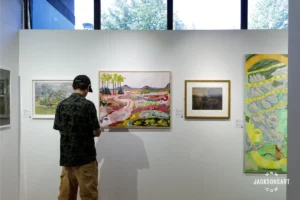
Fine art paper selection is easier with two printed samples side by side. When arranging fine art printing services, request the same image on a smooth matte stock and a lightly textured alternative.
Start with the palest areas and finest lines. The capture already contains some texture from the original sheet. A rough print surface adds its own texture, which can make watercolor art look coarser, especially at a smaller size. A smoother paper may preserve delicate brushwork more clearly.
Then compare the paper color. A cream sheet can add warmth to a file that already records the original paper tone. That combination may suit the painting, but it needs a printed comparison before approval.
For editions sold to collectors, ask about pigment inks, compatible cotton rag or other acid-free inkjet papers, and permanence information for the proposed materials. The word giclée does not establish a print’s lifespan. Framing, light exposure, and humidity also affect its care.
Make The Physical Proof The Approval Standard
A soft proof previews color through the intended printer-and-paper profile. It helps identify likely changes, but a screen cannot reproduce the feel of a sheet. Physical samples remain necessary for judging paper texture in art reproduction.
Compare the printed watercolor art with the original under the same neutral light. For a large reproduction, request selected details printed at the final scale. Pale petals, dark leaves, and a fine signature make a useful test for a floral painting.
Details To Approve
- Pale washes remain distinct from unpainted paper.
- Dark areas retain visible differences in tone.
- Scan joins and cleanup marks are absent.
- The crop, borders, and signature match the specification.
Confirm correction charges with art reproduction companies before commissioning the sample. If paper or ink changes after approval, ask the giclée printing agency for another proof.
Files For Repeat Orders
Supply print-ready artwork files in the requested format, retaining a lossless TIFF master. If JPEG is accepted, export a high-quality copy from the master. Repeated JPEG saving can discard image information.
Keep the approved sample, final file, paper name, image dimensions, sheet dimensions, and revision number together. That record gives later fine art reproduction orders a specific result to follow.
Frequently Asked Questions
Watercolor Print Preparation
What Resolution Should Watercolor Prints Use?
Use 300 PPI at the final image size as a starting point for watercolor printing. Confirm the fine art printing provider’s requirements before capture, particularly for enlargements.
Should The Original Be Scanned Or Photographed?
Flat, stable sheets often suit a flatbed. Large or uneven originals may need photography or contact-free fine art scanning. Ask an artwork scanning service how it will protect and support the sheet.
Which Paper Preserves Delicate Washes?
Compare smooth and lightly textured matte inkjet papers. Fine art paper selection should account for the sheet’s base color as well as its surface. Approve the combination from printed samples.
Should The File Be RGB Or CMYK?
Keep a profiled RGB master from artwork scanning. Delivery requirements for watercolor art printing vary. Request the required profile and color mode, then convert a separate output copy if needed.
How Long Will A Giclée Print Last?
There is no universal lifespan for giclée art reproduction. Request permanence information for the actual ink-and-paper combination, along with guidance on display and framing.
Wrapping It Up
Before producing an edition of watercolor art, approve the image on the paper intended for sale. Start the next art print reproduction project by sending Laguna Digital the original dimensions, preferred image and sheet sizes, quantity, and border requirements.
Request an estimate covering capture, paper comparisons, and proofing. Approve the physical sample before placing the full order, then keep it with the production file for reorders.