



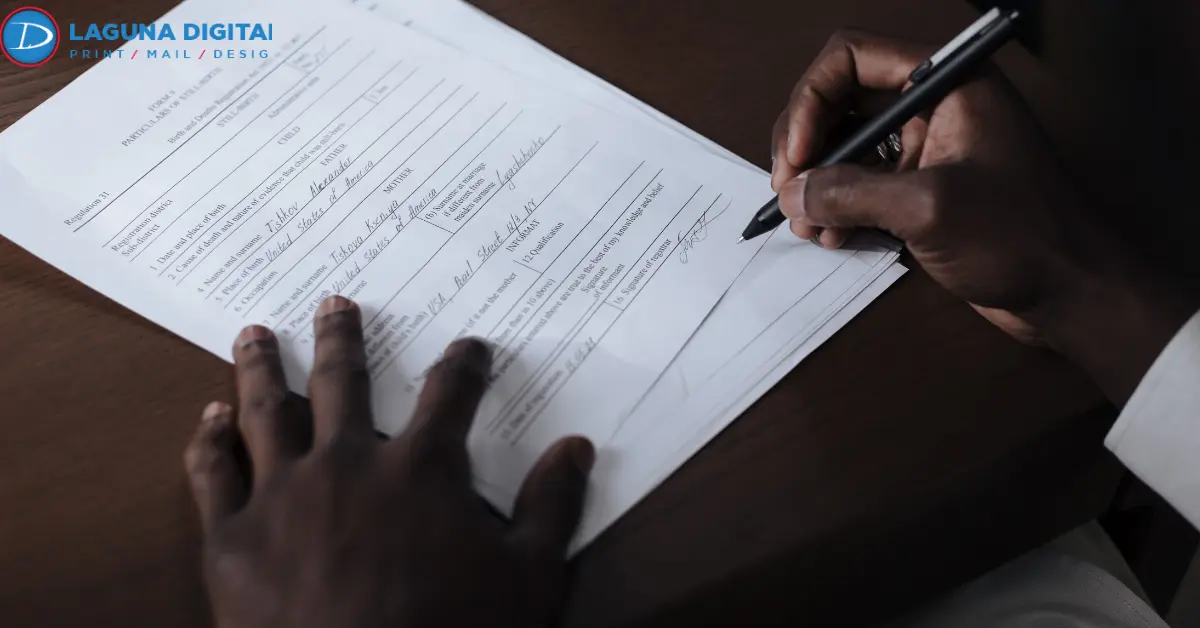
Printed forms still handle much of the daily paperwork in American businesses. A service ticket gets signed on a truck tailgate. A delivery receipt changes hands at a loading dock. If the layout behind those pages is wrong, the mistake lands on every copy in every pad. Many printing errors like these start long before the press runs.
To prevent errors on business forms, size each write-in space for real handwriting and have someone fill out a paper proof with a pen. Check every number on that paper copy, not on a screen. For carbonless sets, confirm the sheet order and starting number with your printer.
Common Errors On Printed Forms And Their Costs
File problems such as blurry images hurt any print job, and this guide to common printing mistakes covers them. Forms have a second set of problems that only appear once someone picks up a pen.
- Missing fields, such as a job address or PO number
- Write-in spaces too small for a street address
- Labels that two people read differently
- Numbering gaps, or one number printed in two pads
- Carbonless sheets collated in the wrong order
These look minor on a proof but cost real money once the pads ship. Custom business forms are built around one company’s process, so a flawed run has no other use. Unlike most business document prints, a form also creates data. A misread label becomes a wrong entry in the books, and somebody spends an afternoon untangling it.
Designing Easy-To-Fill Printed Forms
Good form design works for the person holding the pen. That person is often standing at a counter, and anything unclear gets a guess.
Write-In Space Sizing
Cramped lines invite bad entries. North Dakota’s form design standards set entry fields 3/8 inch tall, with a 1/4-inch clear margin around the page. Width is easier to test than to calculate. Write the longest real answer by hand, such as a street address with a suite number, and size the line so it fits with room to spare.
Label Placement And Format Hints
Captions belong in the same spot on every box. The North Dakota standard uses the upper-left corner and sans-serif type no smaller than 8-point. When some labels on printed forms sit above the line and others below it, answers drift into the wrong space.
Format hints help too. “Date (MM/DD/YYYY)” settles a question before anyone asks, and a checkbox beats an open line for any yes-or-no item.
Logical Field Order
Arrange fields in the order people think through the job, with customer details first and the signature last. Strong business form design also fits the paper to the task. A half sheet (5.5 x 8.5 inches) suits a quick estimate but crowds an itemized invoice.
If nobody in-house handles layout, a business form design agency or a print shop’s graphic design team can rebuild an old photocopied form as a clean file.
Proofing Printed Forms Before The Print Run
Business forms printing services print exactly what the customer approves. After you sign off, any mistake gets printed on every copy.
The Pen Test
Print the proof at 100% scale with “fit to page” turned off. Then ask someone who had no part in the design to fill it out. Don’t coach them. Each pause or crossed-out word points to a field that needs work.
Proof Checklist
Proofreading documents on a monitor makes small slips easy to miss. Go through a paper copy slowly instead.
- Call each phone number and load each web address.
- Read license and tax ID numbers digit by digit.
- Run one sample line item through the subtotal, tax, and total.
- Match each copy label, such as Customer Copy, to its paper color.
- Initial and date the approved proof.
Ask your business printing service for a proof showing every part of a carbonless set. Printing errors caught at this stage cost almost nothing to fix.
Window Envelope Fit
Mailed invoices need one more check. USPS Publication 25 calls for at least 1/8 inch of clear space between the address block and each edge of the window, even after the insert slides around.
Fold the proof the way staff will, slip it into the envelopes you mail with, and give it a shake. If part of the address hides behind the window edge, move the address block before printing.
Getting Carbonless Sets And Numbering Right
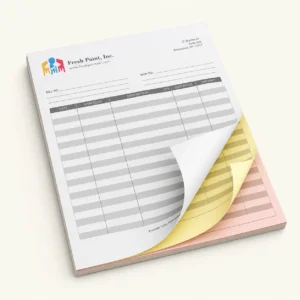
Multi-part sets add two details that single sheets never need.
Sheet Order And Paper Colors
Standard carbonless forms run white and yellow for two parts, adding pink for three and gold for four. On multi-part printed forms, a firm ballpoint gives the clearest copies, while felt tips spread the pressure and leave faint marks. On padded sets, slip the cardboard backer under the set you are writing on so the pen does not mark the next one.
Sequential Numbering
Numbers make a missing invoice easy to spot at month end. Give your business form printing company the last number on your old stock, and the new run can start right after it. Every part of a set should carry the same number. Red numbering ink stands out against black text. A good form printing shop also logs where each run ended.
Keeping Printed Forms Up To Date
Recycle old stock the day new pads arrive, and keep one dated master of your business document prints on file. Moisture can damage carbonless coatings, so a humid truck cab is a poor place for spare pads.
Single-part sheets, such as daily checklists, can run as tear-off notepads in small batches, which keeps each update cheap. A shop that handles professional form printing can also store your approved file.
Frequently Asked Questions
What Are The Most Common Form Errors?
The usual ones are undersized write-in spaces, missing fields, unclear labels, old contact details, and numbering gaps. In carbonless sets, sheets in the wrong order leave blank copies.
How Many Parts Should A Carbonless Form Have?
Many businesses use two-part sets, which are typically used for a single purpose such as providing a receipt to the customer and a record to the business. When there is a need to create additional copies (e.g., billing, dispatch), then you may want to consider using three or four part sets.
To learn more about how multi-part sets can enhance your day-to-day operations, read about how carbonless forms help streamline business workflows.
How Do You Proofread A Form Before Printing?
Start with a pen test on a full-size paper proof. Watching someone fill it out exposes weak form design faster than reading it. After that, proofreading documents aloud catches swapped digits on printed forms.
When Should A Business Choose A Custom Layout?
A stock template works for a simple cash receipt. Invoices and work orders tied to your own process usually need custom business forms because the fields must match how your team works. A business form design agency can check field sizes before printing.
How Often Should A Company Review Its Forms?
Review them at least once a year and any time an address, price, or tax rate changes. Adding that review to each business form printing order keeps old details off new pads. It also makes regular checks a normal part of business form design.
Conclusion
Finding a mistake on printed forms after delivery means paying for a reprint. Laguna Digital offers business forms printing services with a free file check on every order, so setup problems surface before production. Using one business printing service for layout and form printing also keeps every approved version in one place.
Bring in the form that keeps causing faint copies or messy totals, along with a filled-out sample if you have one. Then request a quote for a cleaner set before your next reorder.