



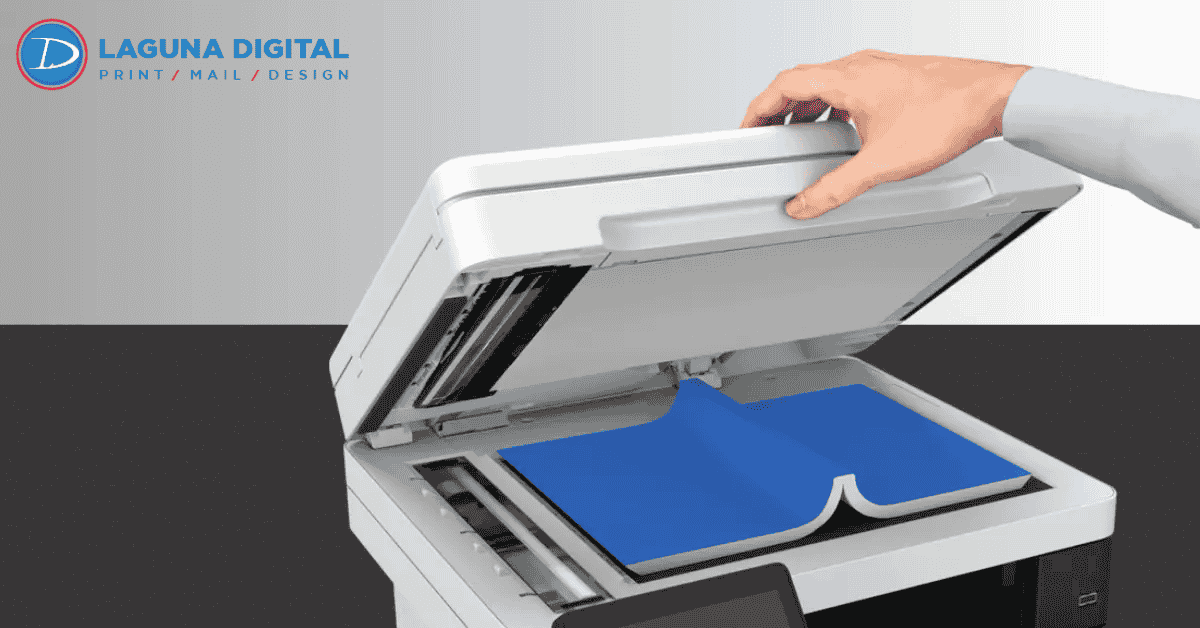
We have walked through countless offices where a bargain printer sits in the corner, covered in dust because the ink costs more than the machine itself. Most business owners wait until their current hardware fails during a critical deadline before they start shopping for a replacement. Choosing the right Printers & Scanners requires a shift from looking at the sticker price to evaluating the total cost of ownership and workflow efficiency. As we look toward 2026, the gap between consumer-grade toys and professional tools continues to widen, making your choice more consequential than ever.
When we consult with our clients, we emphasize that a printer should serve as a silent partner in your productivity. If you spend twenty minutes every morning clearing paper jams or reconnecting to the Wi-Fi, the machine costs you far more than its purchase price. We focus on helping you identify the features that actually impact your daily operations rather than the flashy gimmicks that look good on a retail box. Through our real-world experience, we have identified the core pillars of a reliable office hardware setup.
Evaluating Total Cost of Ownership Over Sticker Price
We strongly advise our clients to stop buying cartridge-based inkjet printers for high-volume work. By 2026, refillable ink tank systems have become the gold standard for small businesses that need color output without the crippling expense of tiny plastic cartridges. These systems lower your cost per page significantly and reduce the environmental waste that piles up in your office. We find that the initial higher investment pays for itself within the first six months of heavy use.
Beyond the ink or toner, we look at the longevity of the replaceable parts like drums and fuser units. Manufacturers often hide these costs in the fine print of the user manual. We recommend researching the “yield” of these components before you sign any purchase agreement. A machine that requires a $200 drum replacement every 10,000 pages will quickly drain your maintenance budget compared to a more robust model built for longevity.
Understanding the Monthly Duty Cycle
We often see businesses burn through “home office” machines because they ignore the monthly duty cycle. This number tells you exactly how many pages the machine can handle before the hardware starts to fail. If you print 2,000 pages a month on a machine rated for 500, you will face mechanical breakdowns and paper jams constantly. We recommend selecting a machine that doubles your actual expected volume to ensure the internal motors and rollers last for years.
The Importance of Print Speed (PPM)
While speed might seem like a luxury, we believe it remains a critical factor for office morale. Waiting for a slow machine to churn out a twenty-page report creates a bottleneck in your workflow. We look for a minimum of 30 pages per minute (PPM) for standard black-and-white documents. High-speed output keeps your team moving and prevents the “printer huddle” that kills productivity during busy afternoons.
Advanced Scanning Features for a Paperless Workflow
We believe a scanner’s value lies in its ability to get you away from the machine as quickly as possible. In 2026, a high-capacity Automatic Document Feeder (ADF) remains a non-negotiable feature for any professional setting. We look for models that offer “single-pass duplexing,” which scans both sides of a page simultaneously. This feature cuts your scanning time in half and reduces the risk of paper jams that plague older, flip-style scanners.
Integration with cloud services has moved from a “nice-to-have” to a mandatory requirement. We prioritize scanners that allow you to send documents directly to Google Drive, Dropbox, or your specific accounting software without needing a computer as a middleman. This direct-to-cloud capability streamlines your digital filing and ensures that your team can access important documents from anywhere in the world immediately after they hit the scanner bed.
Optical Resolution vs. Interpolated Specs
We frequently warn our clients about marketing jargon regarding DPI (dots per inch). Manufacturers often brag about “interpolated” resolution, which uses software to guess where pixels should go. We only care about the “optical” resolution, which represents the actual physical capability of the scanner’s sensor. For standard document archiving, 300 to 600 DPI works perfectly, but if you scan high-end marketing materials or graphics, you need a higher optical threshold to maintain professional quality.
Software and OCR Capabilities
The hardware only tells half the story; the software determines how useful those scans actually become. We recommend machines that include robust Optical Character Recognition (OCR) software right out of the box. This technology turns your scanned images into searchable PDF files. Imagine the time your team will save when they can search for a specific invoice number across thousands of digital files instead of flipping through manila folders.
Connectivity and Security in a Modern Office
We spend a significant amount of time troubleshooting connectivity issues for our local partners. In 2026, look for hardware that supports WPA3 security protocols and dual-band Wi-Fi. Many cheaper models still rely on older 2.4GHz bands, which get crowded and drop connections in busy office buildings. We prioritize machines that offer robust wireless stability, ensuring that your team can print from laptops, tablets, and smartphones without a hitch.
Security remains a major concern that many business owners overlook. Your printer often stores copies of every document it processes on an internal hard drive. We suggest looking for machines that offer data encryption and “secure print” features. Secure print requires a user to enter a PIN at the machine before it releases the document. This prevents sensitive payroll or client information from sitting in an open tray for everyone to see.
When to Outsource Your High-End Projects
We love helping businesses set up their internal offices, but we also recognize when a project exceeds the capabilities of desktop hardware. For instance, when you need high-end marketing collateral with specialized finishes, a standard office printer cannot compete with industrial equipment. We often discuss the visual differences between soft touch or gloss lamination when clients want to elevate their brand beyond what a desktop machine can produce. Use your office hardware for daily operations, but rely on professional services for your high-impact customer-facing materials.
FAQs
Is a laser printer still better than an inkjet for text?
Laser printers generally produce sharper text and offer faster speeds for high-volume monochrome printing. However, the latest ink tank systems now rival laser quality while offering better color reproduction for marketing materials. We suggest laser for heavy text-based workflows and ink tanks for a balance of color and savings.
What is the difference between optical and interpolated resolution?
Always look at the “optical” resolution, as this represents the scanner’s actual physical capability. Interpolated resolution uses software to “guess” the extra pixels, which often leads to a blurry or artificial-looking image. For professional business use, optical resolution is the only number that truly matters for clarity.
Why does my wireless printer keep disconnecting?
Older printers often struggle with modern 5GHz Wi-Fi bands. In 2026, we look for “dual-band” support that allows the printer to switch between 2.4GHz and 5GHz frequencies automatically. Ensuring your printer has the latest firmware updates also solves most common connectivity headaches.
How do I calculate the Total Cost of Ownership (TCO)?
To find the TCO, add the initial purchase price to the cost of ink or toner and maintenance parts over three years. We often find that a $400 printer with cheap ink bottles is significantly less expensive than a $150 printer with $60 cartridges. Always do the math on the cost per page before you buy.
Conclusion
We know that selecting office technology feels like a daunting task, but focusing on total cost and workflow speed will lead you to the right choice. Evaluate your monthly volume, prioritize connectivity, and never settle for inferior scanning speeds. By choosing hardware that matches your actual business needs, you save time, money, and unnecessary stress. High-quality tools do not just print and scan; they empower your team to work more effectively every single day.
At Laguna Digital, we help businesses navigate these technical choices every day. Whether you need advice on internal hardware or professional printing services to take your brand to the next level, we are here to support your growth. Reach out to our team today to discuss how we can streamline your document workflow and improve your professional output.