

A modeling card is a quick professional introduction. It is not a full portfolio, and it should not feel like a photo dump. The goal is to show the model’s face, body line, expression range, and casting potential in a clean, direct way.
The strongest cards use photos with purpose. Every image should answer a real casting question. What does the model look like now? Can the model show more than one expression? Does the body photo show natural proportions? Does the image quality hold up in print and on screen?
Comp Card Photos That Create a Clear First Impression
A comp card should open with one strong front image. For most models, this means a clean headshot or a three-quarter portrait with sharp eyes, natural skin tone, and simple styling. The face should be easy to read at a small size.
Avoid sunglasses, heavy filters, extreme shadows, distracting jewelry, large hats, and hair that covers the face. A stylish image can still be weak if it hides the features that agencies and clients need to see.
This is where model comp card design matters. Good model comp card design gives the lead image room, keeps text controlled, and avoids visual clutter. The front should look polished without making the model look over-edited.
Choose a Lead Photo With Honest Detail
The lead image should look like the model who will arrive at a casting call. Light retouching is fine, but the face should not look reshaped. Skin should keep natural texture. Hair, eye color, jawline, and expression should look accurate.
Use the Back to Add Real Range
The back should not repeat the front image in a different outfit. It should add new information. Strong model comp card pictures usually include a full-body shot, a profile or three-quarter angle, a commercial image, and one market-specific image.
Build the Photo Set Around the Right Market
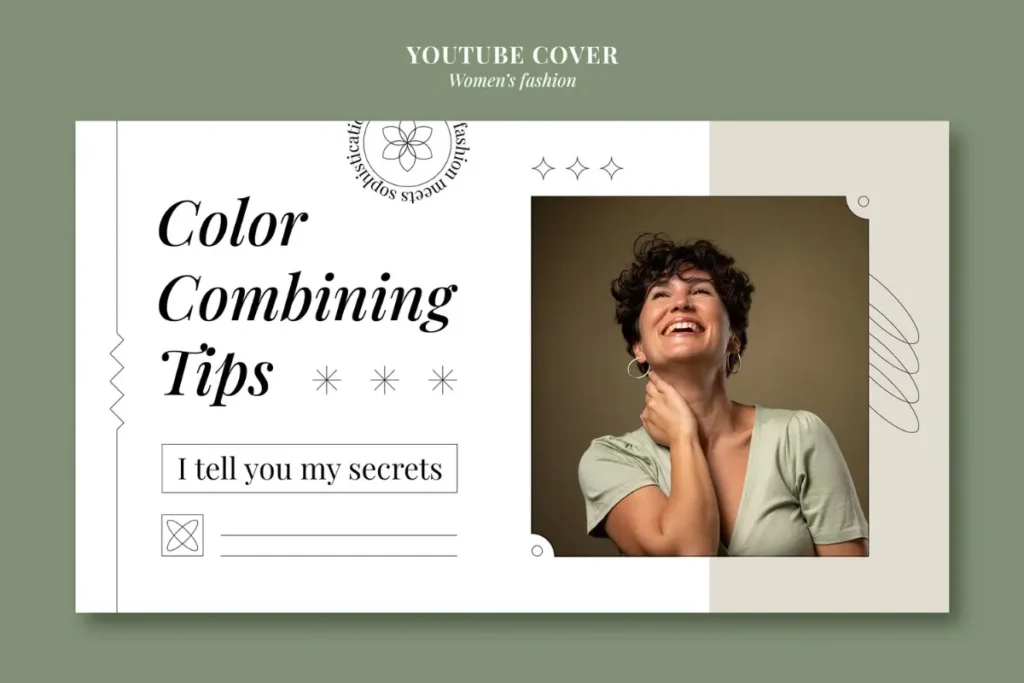
A commercial model needs images that feel approachable and believable. A fashion model needs stronger body lines and posture. A fitness model needs form and control. A beauty model needs clean close-ups that show skin, hair, eyes, and facial balance.
The best photos for a model comp card are the ones that match the type of work the model wants. A relaxed lifestyle image may help for local ads, hospitality, healthcare, education, real estate, and catalog work. A sharper editorial image may help when the model needs to show presence, angles, and confidence.
Match Photos to Commercial and Lifestyle Work
Commercial photos should feel natural but not casual. A soft smile, walking pose, seated pose, or simple everyday look can work well when the face is clear and the background is calm.
This is where model comp card pictures should stay practical. The viewer should be able to picture the model in a real campaign, not just admire the photo.
Match Photos to Fashion, Fitness, and Beauty Work
Fashion photos should show shape, posture, and confidence. Fitness photos should show strength without turning the whole card into workout content. Beauty photos should be sharp enough to show detail without heavy smoothing.
The best photos for a model comp card should create a complete picture, not a collection of unrelated images.
Use Current Photos With Clean Editing
Photos for a model comp card should be recent. If the model has changed hair color, haircut, facial hair, body shape, visible tattoos, braces, or overall style, the card should be updated.
Honest editing builds trust. Exposure correction, color balance, small background cleanup, stray hair fixes, and light skin cleanup are acceptable. Heavy skin blur, body reshaping, eye brightening, and strong filters can make the card less credible.
Keep Image Quality Strong
Model comp card images should come from original high-resolution files. Avoid screenshots, social media downloads, and files compressed through messaging apps. A photo that looks fine on a phone can print soft, grainy, or dull.
Before model comp card printing, check sharpness, crop safety, and color. Hands, feet, hair, elbows, and shoulders should not sit too close to the trim edge. Proper bleed and safe margins help the finished card look clean. All model comp card images should look consistent enough to feel like one professional set.
For a polished printed result, professional comp card printing can support sharper presentation and a more reliable final piece.
Use a Layout That Supports the Photos
A model comp card template can help when the model needs a clean starting point. Still, the model comp card template should fit the photos, not force the photos into awkward boxes. A full-body image should not cut off the feet. A portrait should not be stretched. A profile image should not lose the shoulder line.
A custom model comp card works better when the model needs a specific look for commercial, fashion, beauty, or fitness work. A custom model comp card also allows better spacing, cleaner crops, and stronger photo order.
Get the Design Reviewed Before Printing
A model comp card designer can help choose image order, fix crop balance, control white space, and prepare the final file. A model comp card designer should also know when a nice-looking photo does not help the card.
For clean output on quality stock, digital printing services can help keep color, detail, and finishing consistent.
Prepare Digital and Printed Versions Properly
A digital model comp card should open quickly, stay sharp, and keep contact details readable. A digital model comp card is often shared by email or viewed on a phone, so the file should be clear without being too large.
Printed cards need a different check. Paper, coating, image resolution, and trim can all affect the final look. For model comp card printing, review one proof before ordering in quantity.
Quality comp card printing services help with paper choice, finishing, and clean production. Reliable comp card printing services also reduce the risk of dull color, soft photos, or poor trimming.
For photo-heavy cards, photo printing services can help protect detail and natural color.
Remove Photos That Weaken the Card
Some images look good alone but do not belong on a card. Remove group shots, blurry files, heavy props, distracting logos, extreme crops, old photos, and images that hide the model’s body shape.
Photos for model comp card use should answer questions quickly. What does the face look like? And what does the body line look like? What kind of work fits this model? Are the photos current? Is the quality strong enough?
If two comp card pictures show the same expression or angle, keep the stronger one and replace the other. Repetition makes the card feel thin, even when the photos are attractive.
Final Photo Check
Cover the name and contact details, then review only the images. The card should still communicate age range, style, body type, expression, and likely booking category.
A strong modeling card should not show every photo a model likes. It should show the photos that make the model easier to understand, remember, and consider for work.
For final pricing and file review, a clear printing quote request helps move the project toward production without guessing.
Frequently Asked Questions
What Photos Should Go on a Modeling Card
Use a clean headshot, full-body image, profile or three-quarter angle, lifestyle image, and one market-specific photo.
How Many Images Should a Beginner Use
Most beginners can use five total images. The set should show face, body, expression, and one clear target market.
Are Digitals Good Enough for a Card
Digitals can work if they are sharp, current, well lit, and clean. They should not look like casual phone snapshots.
Should the Card Use Studio or Outdoor Photos
Both can work. The better choice is the photo that shows the model clearly with controlled lighting and a clean background.
How Often Should a Model Update the Card
Update the card whenever the model’s look changes or stronger photos become available.
Conclusion
Choosing the right photos is the difference between a card that only looks nice and a card that helps a model get considered. Start with a clear face image, build the back with useful range, keep editing honest, and review the proof before ordering.
For polished printing, clean finishing, and professional support, visit Laguna Digital and prepare a card that is ready for agencies, casting calls, portfolio reviews, and client meetings.