

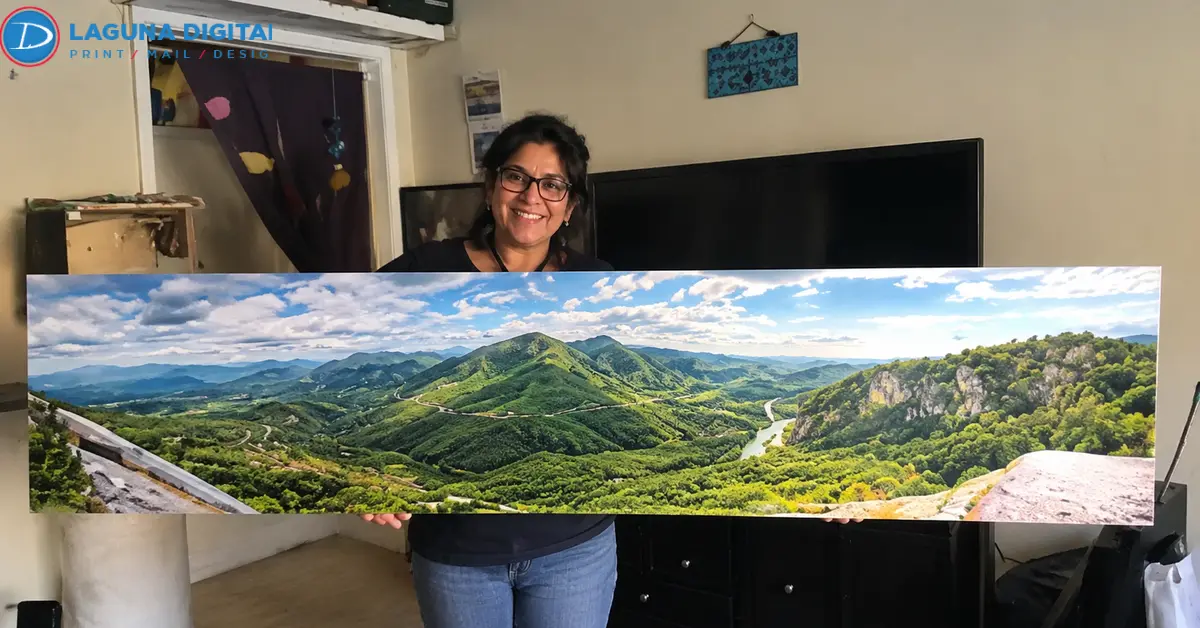
Someone sweeps a phone across the view from a bluff and gets a panorama that looks terrific at thumbnail size. Then it gets picked for the long wall above the sofa. Oversized prints have a way of telling on a file (a soft seam through the cliff, little steps of color in a smooth sunset).
None of that is bad luck. With panoramic photo prints, it comes down to a few things done in the right order.
Oversized Prints Depend On A Seam-Free Stitch
A bad seam can’t be sharpened away later, so prevention starts at the camera.
Camera Settings For Stitching
Panorama photography rewards stubborn consistency. Put exposure on manual and leave it there, white balance too. Auto mode nudges both between frames, and the seams show it. Focus once, then turn autofocus off. Upright frames feel clumsy but leave room to crop later. Roughly a third of each frame should overlap the next. The polarizer can stay in the bag, since it darkens one patch of a wide sky more than another.
Projection And Seam Checks
For a Lightroom Classic merge, Adobe’s panorama guide steers wide scenes toward cylindrical projection, and since it keeps verticals standing straight, it tends to flatter panoramic landscape prints. Boundary Warp is tempting, but stretching the corners can quietly bend a pier railing.
Then comes the slow part, scrolling the merge at 100 percent. Watch for a swimmer who shows up twice, or a fence rail that jumps sideways right at a seam. On a six-foot print, that is where the eye lands first.
Your Crop Should Match The Final Print Ratio Exactly
A stitched file can end up in almost any shape, while print sizes can’t. When proportions don’t match, the shop has to trim or squeeze, and neither is a choice you want made for you. On oversized photo prints a squeeze is impossible to hide. Faces go wide. The sun turns into an egg. Good panoramic photo cropping happens in your editor, with the crop tool locked to the ratio you’re ordering.
Popular Panorama Ratios
Three shapes cover most photo print sizes for panoramas. The mildest, 2 to 1 (12 x 24 or 20 x 40), still slips into off-the-shelf frames. At 3 to 1 you get what most people picture as panoramic prints, sizes like 12 x 36, 20 x 60 or 24 x 72 inches. Push to 4 to 1, say 12 x 48 or 18 x 72, and a long beach becomes a dramatic ribbon.
Anything wider is fair game for custom panoramic prints, because roll-fed printers trim to nearly any length. Leave important details an inch of breathing room from each edge. Check resolution only after the crop is locked, since large photo prints need every pixel it leaves behind.
Oversized Prints Stay Sharp With The Right Pixel Count
People fixate on print size here, but in panoramic photo printing viewing distance matters more. Photo resolution for large prints takes one bit of arithmetic. Multiply each side in inches by your target ppi (pixels per inch).
Resolution By Viewing Distance
The table gives the panoramic print resolution for two popular sizes.
| Print Size | 300 ppi (Close Up) | 200 ppi (4 to 6 Feet) | 150 ppi (10+ Feet) |
| 12 x 36 in | 3,600 x 10,800 | 2,400 x 7,200 | 1,800 x 5,400 |
| 24 x 72 in | 7,200 x 21,600 | 4,800 x 14,400 | 3,600 x 10,800 |
Hallway prints get studied up close, so aim high. Above a sofa, 150 ppi holds up. Going lower is a gamble with oversized prints, because people always walk over for a closer look. Our large format photo printing runs up to 48 inches wide, covering the short side of both sizes.
Smart Upscaling Options
This is where stitching pays for itself. One 24-megapixel frame cropped to 3 to 1 gives about 6,000 x 2,000 pixels, roughly 167 ppi at 12 x 36 inches. Five stitched vertical frames land near 14,000 pixels wide, about 195 ppi at 24 x 72, and extra large photo prints almost always start that way. Adobe’s Super Resolution in Lightroom and Camera Raw can double width and height on a clean file. It can’t rescue a blurry one.
Finishing Plans Decide How Much Image The Edges Need
Unmounted large photo prints tend to bow once they’re up. Mounting on foam board, Gatorboard or Sintra keeps oversized prints flat, and our boards go up to 48 x 72 inches, enough for long panoramic landscape prints. Good photo printing services ask about edges early, since a canvas wrap and a framed print need different files.
A trimmed print needs bleed running past the cut line, usually 1/8 inch per side. Framing works differently, since the frame’s lip swallows roughly 1/4 inch all around. Gallery-wrapped canvas asks the most, about 2 inches of spare image per side, with mirrored edges as the fallback.
Calibrated Color And Careful Sharpening Protect Oversized Prints
Color drift that hides on a phone becomes the first thing anyone sees across six feet.
Monitor Calibration And Soft Proofing
Print shops hear one complaint constantly, that a print came out “too dark.” Usually the monitor is the culprit, glowing far brighter than paper ever can. A hardware calibrator set near 100 to 120 nits brings the two back into agreement. Our guide to color calibration for art reproduction goes further into profiling.
An 8-bit sky can break into visible steps once it’s stretched across a wall, which is reason enough to edit in 16-bit. Soft proof against the ICC profile for your exact paper. Keep the master in RGB unless the shop asks for CMYK, so the photo printing workflow reads color the way you meant it.
Output Sharpening For Paper
Sharpening belongs at the end, once the file sits at final size. Ink sinks a little into matte paper and canvas, softening fine edges, so oversized prints on those surfaces take more sharpening than glossy stock. The right amount for panoramic photo prints looks a touch harsh on screen. Trust the paper.
The Export File Has To Fit Printer And Upload Limits
Very wide stitches hit the ceiling. Photoshop’s standard PSD format caps out at 30,000 pixels a side. Beyond it sits Large Document Format (PSB), good for 300,000 pixels but rarely accepted for large photo printing.
Keep the PSB as your master and send a flattened TIFF with lossless compression. Name it so nobody has to guess (coastline_24x72_200ppi.tif, for example) before you upload print files.
Many shops sell panoramic prints online cap file size. A maximum-quality JPEG is the sensible fallback there.
A Test Strip Keeps Oversized Prints From Costly Reprints
Even a careful file can surprise you on paper. In panoramic photo printing, redoing a six-foot image costs real money, while an 8 x 10 test strip costs very little. Print the patch with your finest detail and smoothest gradient at final size on the same paper. Then view it from where people will stand.
The stitched file is the score, and the strip is the rehearsal. If the final print gets lamination, laminate the strip too, because clear film changes how the surface catches light.
Frequently Asked Questions
What Resolution Does A Large Panoramic Print Need?
Aim for 300 ppi up close and 200 at room distance. A piece seen from 10 feet or more can drop to 150 ppi, the practical floor for photo resolution for large prints.
Can You Print A Phone Panorama Large?
Yes, if the sweep was slow and the light good. Phone panorama photography makes wide but short files, so check the panoramic print resolution on both sides before ordering extra large photo prints.
What Are The Standard Panoramic Print Sizes?
Popular photo print sizes for panoramas include 12 x 36, 16 x 48, 20 x 60 and 24 x 72 inches, all in the 3-to-1 shape of classic panoramic prints.
How Do You Crop A Panorama Without Losing Quality?
Work from the full-resolution master with the crop tool locked to the print ratio. Careful panoramic photo cropping then lets custom panoramic prints follow it exactly.
Which File Format Is Best For Large Photo Printing?
A flattened TIFF keeps the most detail, though a maximum-quality JPEG works when uploads are capped. Most photo printing labs accept both.
Bottom Lines
Most trouble with oversized prints starts before export, which is also where it gets fixed. Send your stitched file to Laguna Digital for a free quote on large format photo printing, with a proof strip on your chosen paper.
Ordering panoramic prints online is easy, but a check from experienced photo printing services keeps a six-foot coastline sharp end to end. Upload today and turn your panorama into oversized photo prints worth the best wall you have.