

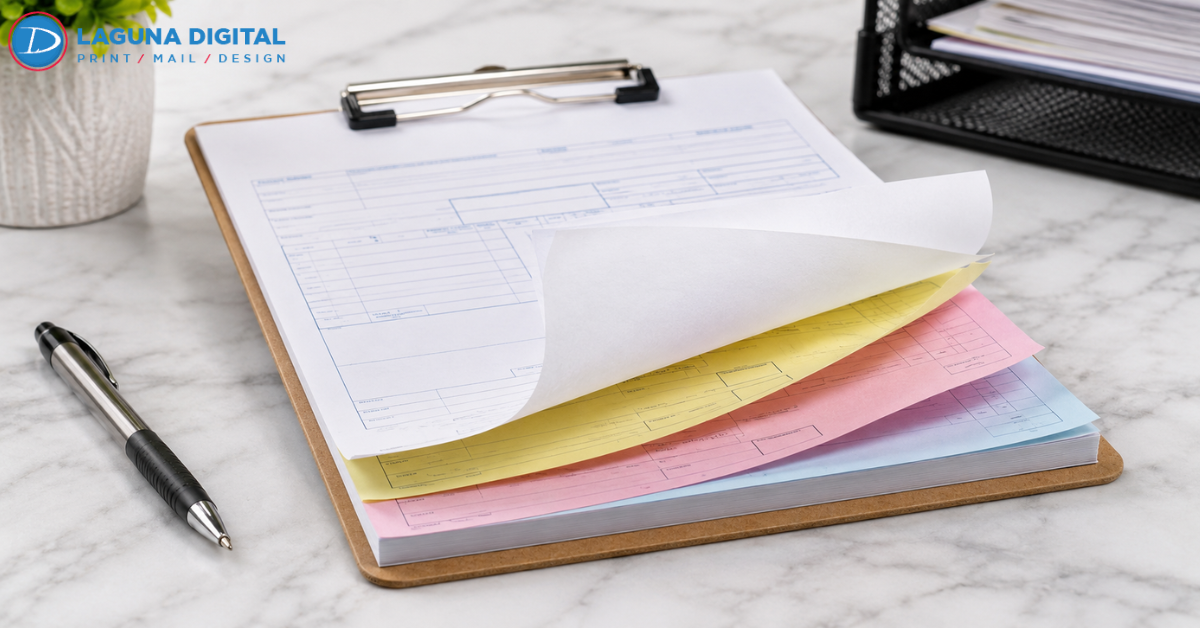
Running a business often feels like a constant battle against disorganized paperwork and lost information. We see contractors, HVAC technicians, and retail owners struggle with smudged fingers and illegible copies from old-school carbon paper. Switching to high-quality Carbon Less Forms solves these logistical headaches instantly by providing clean, crisp copies without the mess. We have helped countless service providers modernize their documentation process while maintaining the simplicity of a handwritten receipt.
How Carbonless Forms Streamline Daily Operations
Carbonless paper, often called NCR (No Carbon Required) paper, uses a specialized chemical coating to transfer text from the top sheet to the pages beneath. We find that field technicians prefer this method because it works flawlessly regardless of internet connectivity or battery life. You simply write once and create up to four identical copies for your customer, your office, and your accounting department. This immediate duplication keeps your team moving and ensures that every stakeholder receives the same information.
Many business owners worry that moving away from digital tools might seem outdated, but we observe the opposite. In many industries, a physical hand-signed document carries more weight and provides a faster checkout experience than fumbling with a tablet. We see that customers appreciate receiving a physical copy of an estimate or invoice before the technician even leaves the driveway. This transparency builds trust and reduces the likelihood of billing disputes later in the month.
Eliminating the Mess of Traditional Carbon Paper
Older carbon paper required a messy blue or black insert that left stains on hands, clothing, and desks. We remember the frustration of misplacing that carbon insert or accidentally putting it in backward, which ruined the entire form. Modern NCR technology embeds micro-encapsulated dye on the back of the sheets. When you apply pressure with a pen, these capsules burst and create a perfect image on the page below without any dirty residue.
Improving Record Accuracy in the Field
Errors often occur when employees have to transcribe notes from a scrap of paper into a digital system hours after a job ends. We suggest using carbonless sets to capture data in real-time while the details remain fresh. This practice eliminates transcription errors and ensures that your office staff doesn’t have to hunt down technicians to clarify messy handwriting or missing price points. A well-organized form acts as a checklist, guiding your team through every necessary step of the transaction.
Choosing the Right Configuration for Your Workflow
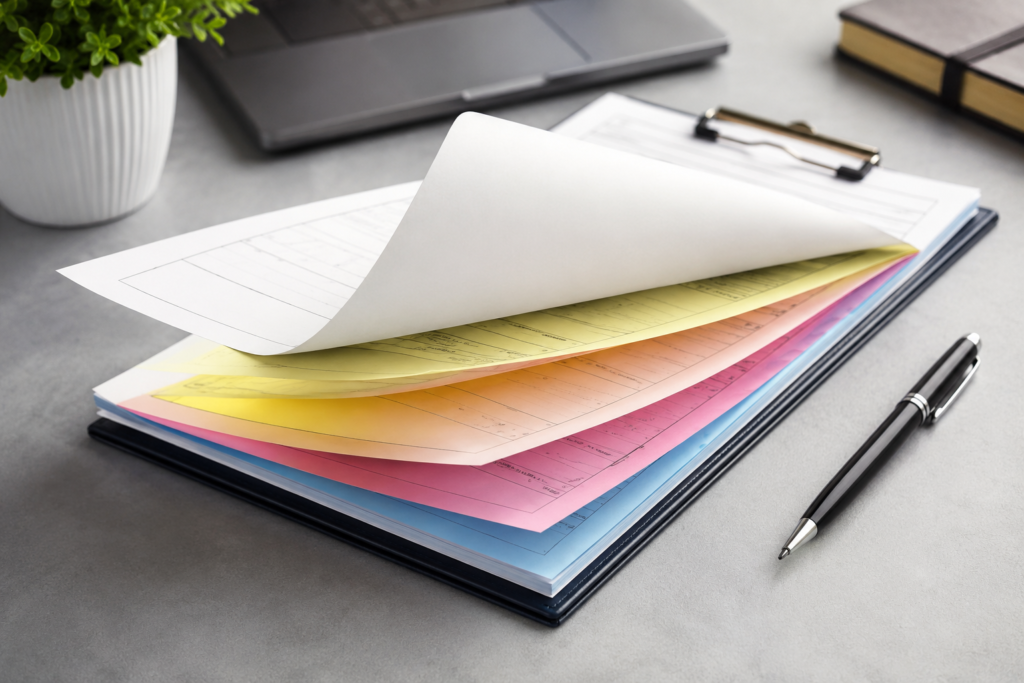
Selecting the right number of parts for your form depends entirely on your internal administrative process. We generally recommend 2-part forms (white and canary) for simple sales receipts where only the customer and the business need a copy. If you work with subcontractors or third-party delivery services, you likely need 3-part (white, canary, and pink) or even 4-part sets. This ensures that every department has an original-quality record to facilitate smooth communication.
We also encourage businesses to think about how they store these documents. We can provide forms as individual loose sets, or we can bind them into “wrap-around” books. Books include a heavy cardboard cover that you tuck under the current set to prevent your writing from bleeding through to the next five forms. We’ve noticed that mobile service businesses prefer the book format because it keeps everything contained and prevents forms from blowing away on a windy job site.
Essential Design Elements for Functional Forms
A common mistake we see involves crowding a form with too much fine print, leaving no room for the actual job description. We advise keeping your layout clean with generous spacing for handwritten notes and itemized lists. Always include dedicated boxes for the date, customer contact info, and a unique invoice number. While your forms handle the data, you can also use durable branding tools on your equipment to ensure customers know exactly who to call for their next service.
Legal Requirements and Professionalism
We often remind our clients that a carbonless form serves as a legal contract in many situations. Including your terms and conditions on the back of the top sheet protects your business from liability. We can print these details in light gray ink so they stay out of the way but remain legally binding. A professional, custom-printed form shows your clients that you run an organized, legitimate operation rather than a “fly-by-night” service.
Practical Insights for Designing Your Custom Forms
When you sit down to design your form, consider the “path of the pen.” We suggest organizing the fields in the logical order of a standard conversation with a customer. Start with basic contact info at the top, move into the description of work in the middle, and place the totals and signature lines at the bottom. This flow makes the form intuitive for your employees to fill out while they talk to a client, which makes them look more professional and prepared.
We also recommend using “screening” or light gray shading to highlight certain sections, like the “Office Use Only” area. This visual cue tells the technician to leave those boxes blank, which saves your bookkeeper a lot of frustration. Small design choices like these significantly impact the efficiency of your daily workflow. We have seen that a few minutes of thoughtful design can save a company dozens of hours in administrative labor over the course of a year.
FAQs
What is the difference between 2-part and 3-part forms?
A 2-part form creates one original and one copy, usually used for a customer receipt and a merchant copy. A 3-part form adds a third sheet, which businesses often use for a separate filing department or a project manager’s record. We help you determine the right count based on how many people need to see the data.
Can you print on both the front and the back of NCR paper?
Yes, we can print on both sides of the paper. Many businesses use the front for the transaction details and the back for legal disclaimers, warranty information, or terms of service. This keeps the main page clean and easy to read while still providing necessary legal protections.
Do I need a special pen to use carbonless forms?
Any standard ballpoint pen works perfectly with carbonless forms. The pressure from the pen tip is what triggers the chemical reaction to create the copy. We recommend avoiding felt-tip markers or pencils, as they often do not provide enough concentrated pressure to produce a clear image on the bottom sheets.
Are these forms environmentally friendly?
Modern NCR paper has come a long way since its invention. Most current carbonless papers no longer contain harmful chemicals like BPA. We offer high-quality options that are safe for your employees to handle daily and are much easier to recycle than the old blue-tinted carbon inserts from decades ago.
Strengthening Your Business Infrastructure
Investing in custom carbonless forms is about more than just buying paper; it is about building a reliable system for your business. We understand that your reputation stays with the customer long after you leave the job site, and a professional document reinforces that trust. By choosing the right configuration and a thoughtful design, you reduce errors and project an image of total competence. We take pride in helping our clients bridge the gap between old-school reliability and modern professional standards.
A well-executed form ensures that your business stays organized even when the power goes out or the software glitches. Whether you need a simple pad of receipts or a complex 4-part technical log, the quality of the print matters for legibility and longevity. We believe that every physical touchpoint with your customer should reflect the hard work you put into your craft. Trust the team at Laguna Digital to provide the expertise and high-quality printing your business requires. Contact us today to start designing forms that work as hard as you do.