


Old home movies do not always show warning signs before failure. A VHS cassette may look clean even when its magnetic tape has weakened. A film reel may still turn although its splices are dry or its edges are brittle.
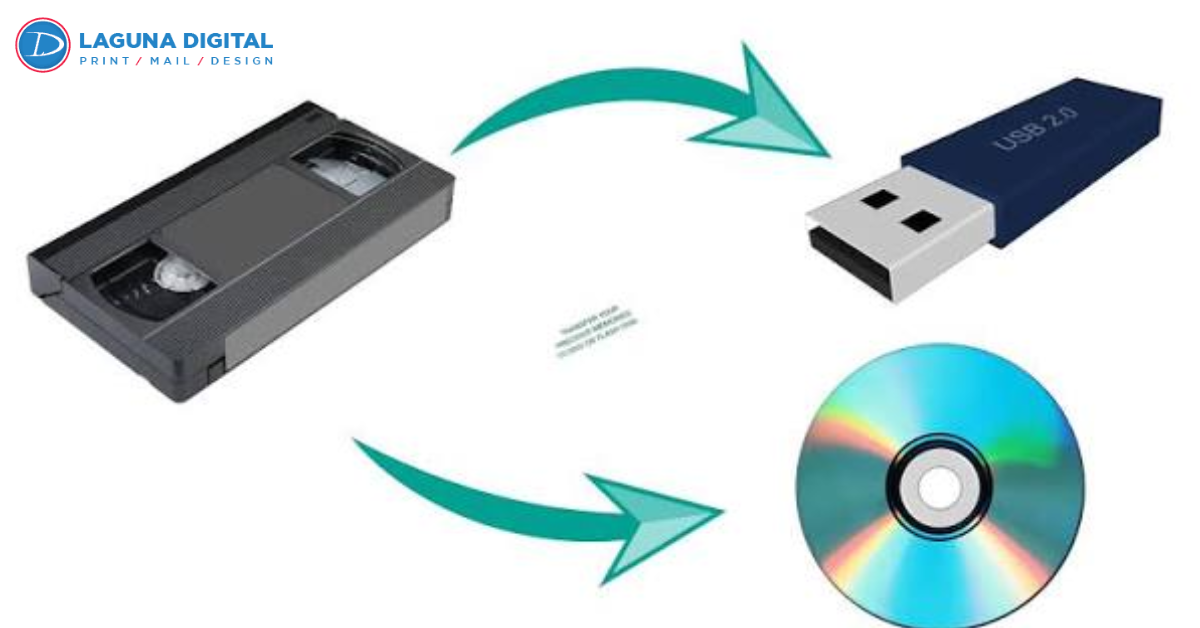
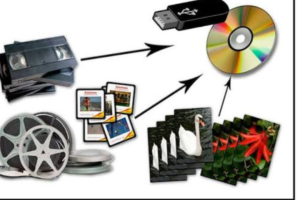
VHS digitizing and 8mm film digitizing create files that are easier to watch, copy, organize, and protect. Digitization also lets families save meaningful frames for albums, memorial displays, family history books, and color printing without repeatedly handling the original recording.
Why Analog Recordings Become Harder to Save?
VHS stores pictures and sound on magnetic tape. Heat, humidity, dust, mold, poor storage, and repeated playback can affect the recording and cassette mechanism. A tape kept in a garage or attic may appear normal while its internal layers begin to deteriorate.
Regular 8, Super 8, and similar film can develop scratches, broken splices, fading, warping, or a vinegar like odor associated with acetate deterioration. Repeated projection adds stress when a reel is brittle or badly wound. Careful film scanning avoids running valuable footage through a household projector again.
Reliable VCRs, projectors, lamps, belts, and compatible cables are becoming harder to replace. Beginning a VHS-to-digital project while the media and equipment remain usable gives families more choices.
What a Quality Transfer Should Preserve?
A careful transfer should retain the visible image, understandable sound, correct orientation, natural motion, and original sequence. It should not crop important edges or apply aggressive processing that changes faces or background details.
During tape digitizing, the source plays through compatible equipment while the signal is captured. During film transfer, individual frames may be scanned and assembled into a video. Both methods require clean equipment, proper handling, and a quality check.
The delivery should include an easy to watch file and clearly named folders. Families seeking a long term archive may also request a larger master file with less compression. Still images from that master can support restoration, photo books, and color printing while the original video remains untouched.
When Professional Help Is Safer Than DIY?
A home setup may work for a few healthy tapes when the owner has a dependable player, capture device, correct cables, storage space, and time to inspect every file. A two-hour cassette usually needs about two hours of playback before checking and backup.
Professional film digitizing services suit moldy tapes, damaged cassettes, brittle reels, broken splices, unusual formats, and recordings with high emotional value. A technician can inspect the media first and stop when playback may cause more damage.
Large film scanning may be useful when the same archive contains oversized negatives, panoramic film, transparencies, or other photographic material. It differs from scanning 8mm motion picture film, so the provider should explain the equipment used for each format. This matters when images are intended for color printing or archival display.
Inspect and Inventory the Collection First
Do not test every item in an old machine simply to learn what it contains. Start with containers, labels, and visible condition. Give each tape or reel an inventory number on a removable note.
Record these details.
- Media format
- Handwritten title, date, location, and names
- Approximate running time
- Visible mold, water damage, cracked plastic, loose tape, or broken film
- Priority based on condition and emotional value
- Scenes that may be useful for albums or color printing
Photograph each label before film conversion. Handwriting may contain the only surviving date or name. Keep mold affected media away from clean items. Do not use household liquids or improvised repairs.
Questions to Ask a Digitizing Provider
A useful estimate should explain how originals are handled, which files are delivered, and whether repair or cleaning is included.
Key questions include the following.
- Are tapes and reels inspected before playback?
- Is 8mm film scanned frame by frame?
- Are film cleaning and splice repairs available?
- Which resolution is used for film scanning?
- Does VHS conversion include audio review and signal correction when needed?
- Will file names match the customer inventory?
- How are blank or damaged items charged?
- What privacy and chain of custody steps are followed?
- When are working copies deleted?
- Can clear frames be prepared for color printing?
Basic correction may improve orientation, brightness, or playback stability. Restoration may involve scratch reduction, color recovery, audio cleanup, or frame stabilization. No responsible company should promise detail that the original camera never captured.
Choose Practical Files and Clear Names
MP4 is convenient for everyday viewing because it works on most current devices. A preservation master is larger and usually uses less compression, making it more suitable for future editing.
For a VHS to digital order, request one file per cassette unless separate events need to be divided. For film conversion, ask whether each reel will remain a separate file and whether reel numbers can be included.
Use a clear naming pattern such as 1994-06 Graduation Tape 07. Mark uncertain dates as approximate instead of guessing. Keep masters, viewing copies, edited clips, and exported stills in separate folders. That protects source files during slideshow or color printing projects.
Check the Work Before Archiving It
Open files from the beginning, middle, and end. Check image direction, sound, running time, file name, and whether the recording matches the inventory. Pay attention to dark scenes, fast movement, and weak audio.
For a large collection, approve a small test batch first. Include items in different conditions and formats. The test can also show whether extracted frames are clear enough for colors printing before many images are prepared.
Report missing files, duplicated content, serious audio drift, incorrect orientation, or poor naming while the provider still has a working copy.
Protect the Files With More Than One Backup
A USB drive is useful for delivery, but it should not be the only copy. Use the 3-2-1 approach for irreplaceable family media.
Keep three copies, use two storage types, and place one copy elsewhere. A practical setup may include a computer, an external drive, and a cloud account. Check sample files each year.
Keep original tapes and reels after tape digitizing unless a qualified professional recommends otherwise. They remain the source records. Edited clips, exported stills, and color printing files are derivatives, not replacements for the master copies.
Common Mistakes That Reduce Transfer Quality
Do not test the most important cassette in an unverified VCR. Begin with a less valuable tape and stop if it squeals, slows, wrinkles, or ejects poorly.
Do not select film digitizing services only by the lowest advertised price. A cheap offer may exclude inspection, repair, naming, audio review, return shipping, or higher resolution delivery. Compare the full workflow.
Avoid excessive enhancement. Heavy sharpening, strong noise reduction, artificial frame creation, and extreme color changes can make old footage look unnatural. The purpose of VHS conversion is faithful preservation and access, not modern camera quality.
Frequently Asked Questions
Is It Better to Convert VHS to DVD or Digital Files?
Digital files are easier to copy, organize, edit, back up, and watch on current devices. A DVD may serve as an extra viewing copy, but it should not be the only archive.
How Much Does Professional Digitization Cost?
Cost depends on format, running time, condition, repairs, resolution, delivery method, and optional restoration. Ask for an itemized estimate covering damaged items, shipping, and extra copies.
Can Old 8mm Film Be Scanned in High Resolution?
Yes, but the final detail depends on the original film, focus, exposure, grain, and condition. Higher resolution cannot recreate information that was never recorded.
Should Original Tapes and Reels Be Discarded?
No. Store them in a cool, dry, stable place after digitization. They remain the source and may be useful if better transfer methods become available.
Can Still Photos Be Taken From Home Movies?
Yes. Clear frames can be exported from the master file for albums, memorials, gifts, and color printing. Results are strongest when the source is steady, well exposed, and captured at a suitable resolution.
Final Thoughts
Begin with five tapes or reels that carry the greatest emotional value or show visible signs of age. Photograph the labels, create an inventory, separate damaged media, and request a written estimate covering handling, output files, privacy, and return procedures.
Approve a test batch before committing the full collection. Review image quality, sound, file names, and delivery. Once the workflow meets expectations, continue with the remaining VHS digitizing, film transfer, and large film scanning items.
A strong preservation plan combines careful transfer, organized folders, three verified copies, and safe storage of the originals. Start while suitable equipment remains available. A well managed archive keeps family stories ready for viewing, sharing, editing, and color printing without risking the originals.